Managing Your Store
Once your store is live, StoreFactory gives you a few core areas for daily operations: the dashboard, Medusa Admin, Deployments, Settings, and Support.
Dashboard overview
The dashboard gives you a high-level picture of store health and activity.
Key sections include:
- Store Overview
- Quick Actions
- Integrations
- Subscription & Limits
Use the dashboard as your starting point each day.
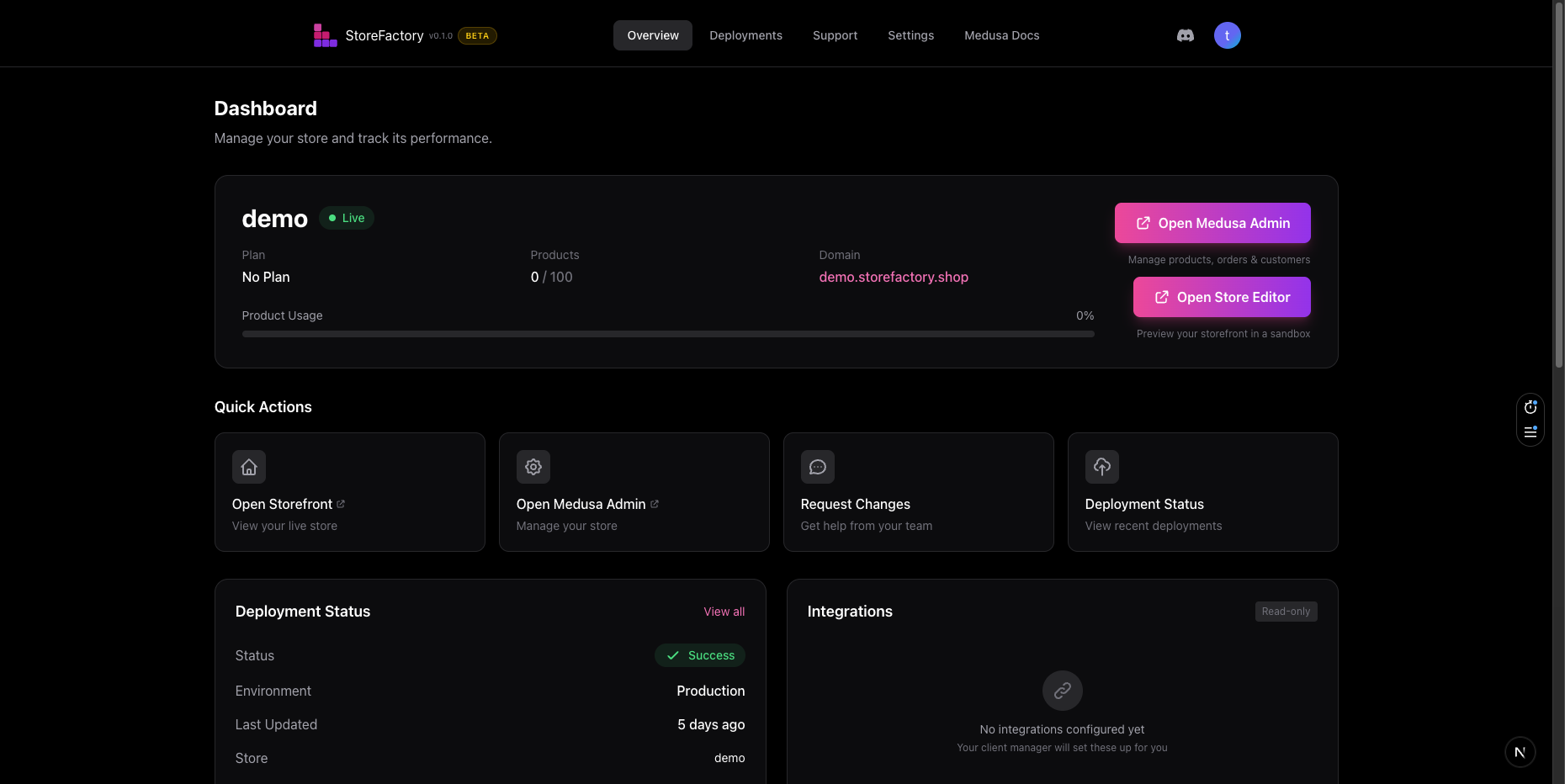
Open your storefront
Use Open Storefront when you want to:
- review the live customer experience
- test recent changes
- confirm branding and messaging
- check how promotions or campaigns look in production
It's a good habit to review the live store after each major deployment.
Use Medusa Admin for operations
Use Open Medusa Admin for the operational side of commerce.
Typical admin tasks include:
- managing products
- reviewing collections and categories
- updating pricing
- handling orders
- reviewing customer information
- checking general store operations
If you're changing the business data behind the store, Medusa Admin is usually the right place.
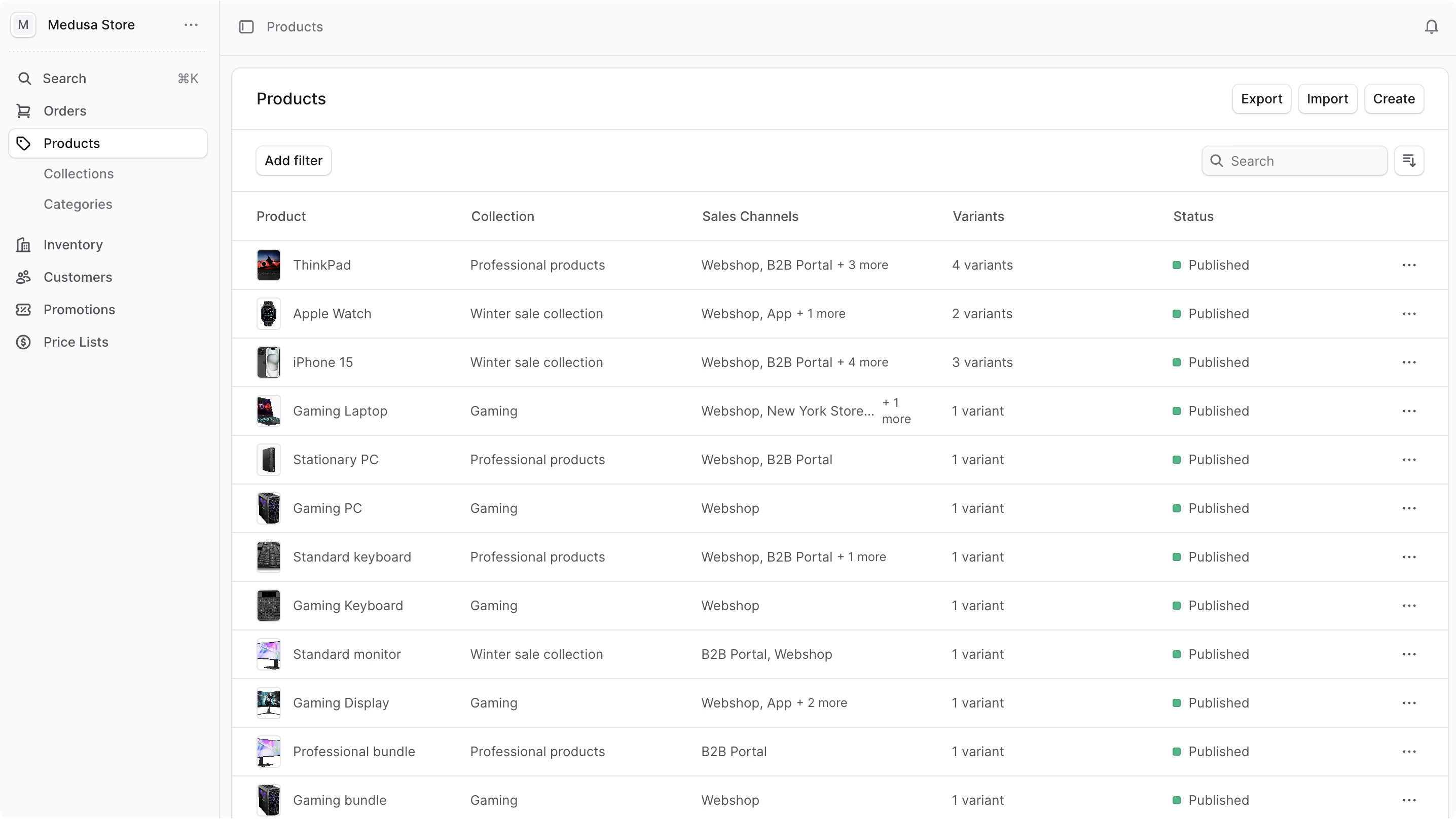
Monitor deployments
The Deployments page helps you confirm what changed and whether it succeeded.
You can use it to:
- see recent deployments
- check whether a release succeeded, is in progress, or failed
- filter history by Storefront, Admin Dashboard, or Backend API
- confirm roughly when a change went live
Use this page whenever you need an audit trail for a release.
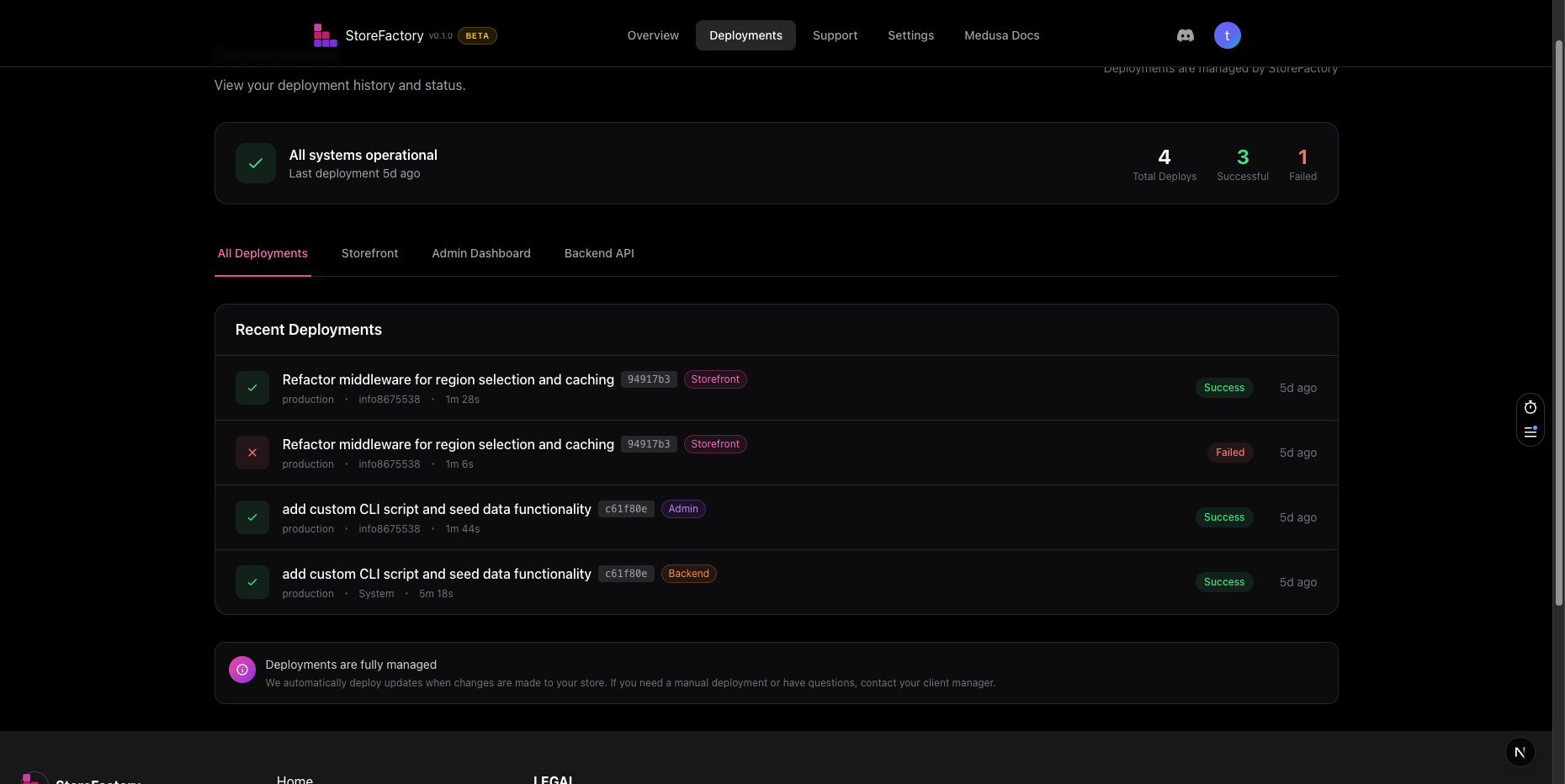
Manage settings
The Settings page is where you review store-level details and preferences.
You can check:
- store name
- store URL
- custom domain status
- subscription and currency
- notification preferences
- team members with access
Some parts of Settings are read-only in the current product. If you need help changing protected values, use Support.
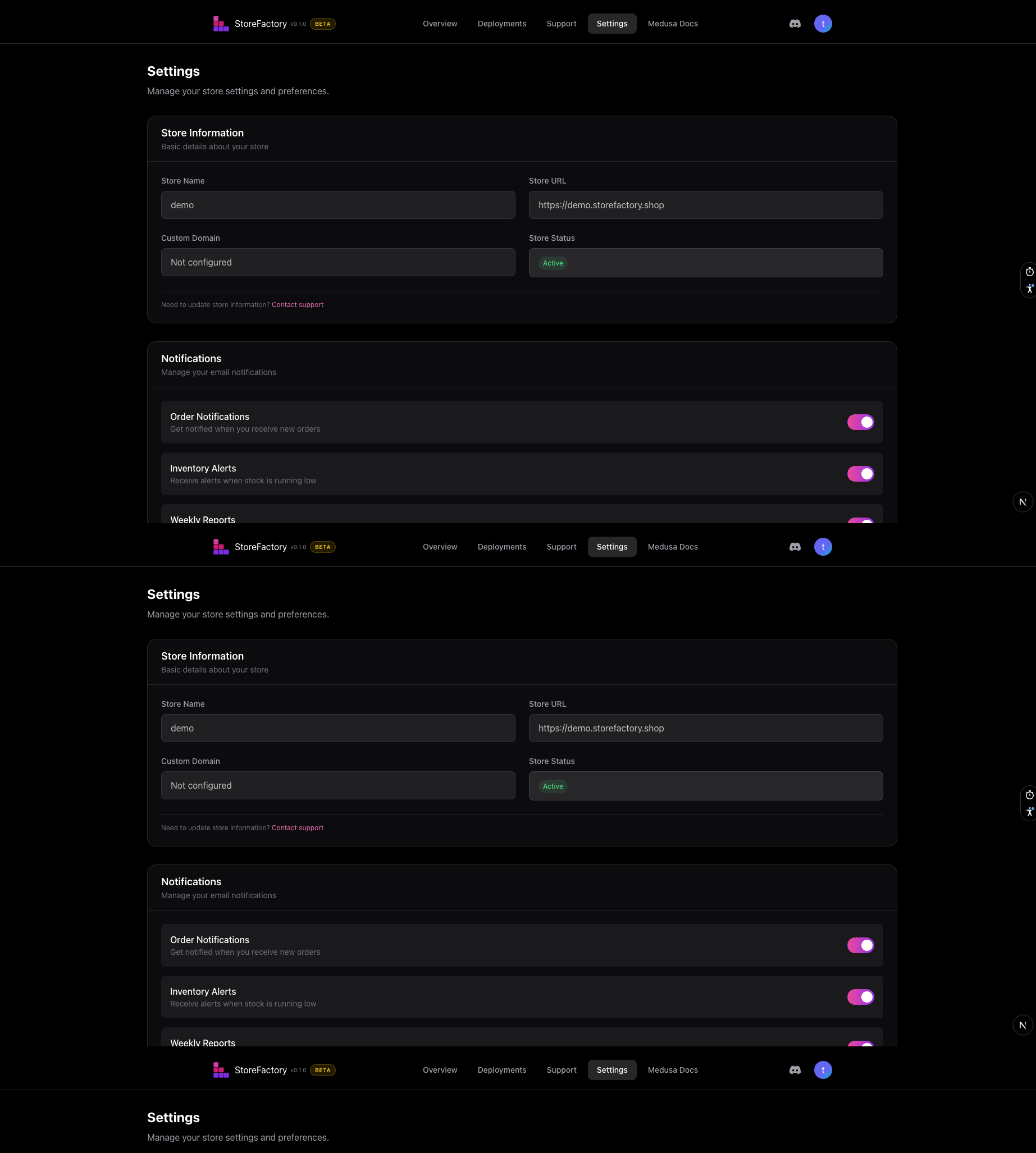
Understand domain status
If you are using a custom domain, the Settings page may show:
- Active — the domain is connected and verified
- Pending — the domain has been entered but is still being configured or verified
If a domain stays pending longer than expected, contact Support.
Review integrations
The dashboard includes an integrations summary so you can quickly see what is connected.
Common statuses include:
- Connected
- Pending
- Not Connected
If you need to change configuration details, go back to the editor's Integrations area or open a support request.
Recommended daily routine
A simple daily workflow looks like this:
- Open the dashboard and review the current status.
- Check whether any important deployments are still running.
- Open the storefront and review the live experience.
- Use Medusa Admin for product, order, and customer work.
- Use the Store Editor for new design or content changes.
- Use Support for anything blocked, broken, or business-critical.
Recommended weekly routine
At least once a week:
- review notification settings
- check team access
- confirm domain status
- review deployment history
- make sure integrations are still connected as expected
Next step
Continue with Plans, Credits, and Support for billing, AI credit usage, and support workflows.